This video will show you how to Jailbreak iOS 7.1.2 & 7.1.1 with Windows Untethered.
This video will show you how to Jailbreak iOS 7.1.2 & 7.1.1 with Windows Untethered.
This video will show you how to Jailbreak iOS 7.1.2 & 7.1.1 on a Mac Untethered.
Hi Guys
So here it is the long awaited iOS 7 Jailbreak video which supports the iOS 7.1.2 and 7.1.1 Apple firmware versions on all devices that run iOS 7.
That list includes 5S,5C,5,4S,4, iPad Air,4,3,2,Mini & iPod Touch 5.
Tips you should do a backup and restore of your iOS device before following this video.
You can find the restore video below.
How to restore iOS 7 with iTunes
And back up video here.
How to backup your iPhone, iPad or iPod using iTunes
This video will show you how to restore iOS 7 with iTunes.
Hi All
I have uploaded this video to show you how to restore iOS 7 with iTunes, this will help with future videos which will show you how to Jailbreak iOS 7.1.1 and 7.1.2. Once these videos are complete I will link them below.
How to Jailbreak iOS 7.1.2 & 7.1.1 on a Mac Untethered
Good luck 🙂
Matt
This video will show you how to install Windows 8.1 on a Mac with VMware.
If you want to buy a copy of VMware Fusion click the link below.
This video will show you how to Remove Boot Camp Partition.
This video will show you how to Install Windows 8.1 on a MacBook Air without a DVD drive.
Hi All,
In this article you will find the steps, on how to install Windows 8.1 on a MacBook Air and any Mac without DVD drive.
This process was done on MacBook Air 2013 model and we will also use an ISO file or DVD image rather then a an actual DVD.
If you are looking for the video How to install Windows 8.1 on a Mac running OS X Mavericks you can find it here.
This video will show you how to install Windows 8.1 with a DVD.
What will you need to make this happen?
1. MacBook
2. 8GB USB stick or higher
3. Windows 8.1 ISO file, you can find a copy on the 123myIT download page here
Or you buy a full version of Windows 8.1 recommended under the 123myIT.com Store.
4. Once you have done the above, the next step is to run the Boot Camp Assistant. You can do this by going into finder and the type boot camp, or click the Desktop then click on Go, and then select utilities Boot Camp Assistant.
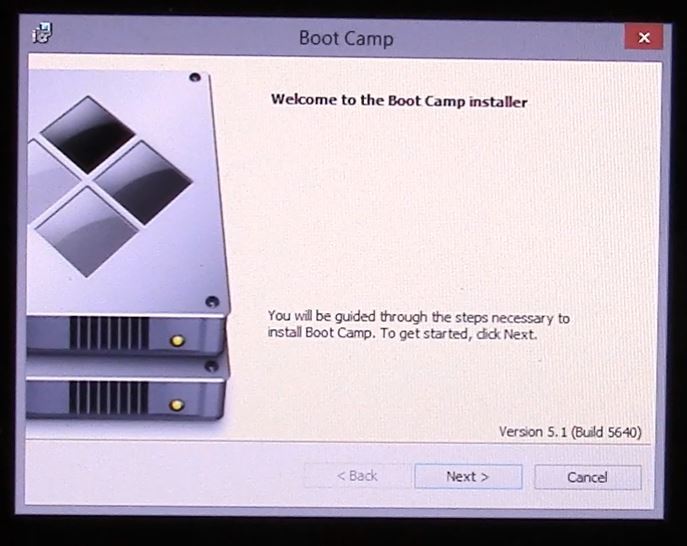
5. Once you have this started up simply follow the video above and pretty soon you will have Windows 8.1 up and running on your MacBook Air.
6. If you are having problems during setup where you can move your mouse or type anything on the keyboard, you can try plugging in a USB keyboard and mouse for the initial setup, and then after Windows is installed go to the Boot Camp Drivers page here and download the correct drivers for your model of Mac which should solve this problem.
NOTE: Key points to remember, if your Mac doesn’t boot into the Windows installer screen then you can find the boot menu by restarting the Mac and holding down the ALT or option key.
For more information you can check out the Official Apple Boot Camp page here.
This video will show you an Unboxing and first look at the Apple MacBook Air 11 inch 2014 model.
Hi All,
Mac Models, one big thing you should know when purchasing Apple hardware is MODELS, MODELS, MODELS and Versions, versions, versions. What do I mean by this? Every Mac computer is a different and then there is even different Mac models within one year.
So if you have to troubleshoot your Mac for whatever reason then you might need to know how to find out which Mac model your computer is.
Once you know what Mac model you have then you will need to check the versions of OS X, OS X is the software that is installed on the Mac. This will then allow you to check if a problem you are having is related to hardware type or software versions.
To find out the Mac model you can go to Apple menu > About this Mac and then click on more info.

For example Mac models hard can play an important part when installing Windows on your Mac hardware. For example if you have a MacBook Air then this hardware does not come with a DVD drive so you wouldn’t be able to install Windows on the MacBook Air with a DVD. Its little things like this that knowing the Mac model can help you work out what process to take when installing some software.
In the Apple menu you can also look up what version of OS X you are using. Currently the 3 latest versions of OS X are:
Mavericks 10.(9)
Yosemite 10.(10)
El Capitan 10.(11)
If you want to know more about Apple computer models you can check out the 123myit boot camp drivers page
here.
Mac Models Boot Camp drivers.
Or the complete list of Mac models on the Wiki page here.
Good luck!
Matt