Apple Updates will they slow down your iPad?

In this video we run will find out if Apple updates can slow down your iOS device.

Hi All
Some people say that after they run Apple Updates on their iOS device so iPad, iPhone or iPod that their device slows down allot. I had an old iPad 2 laying around the house that was running a pretty old version of iOS, iOS 7. So I thought before I upgrade my old iPad 2 to the current version of iOS 9.2.1 at the time of writing this article. I thought I would run GeekBench which is a benchmark app used for testing the performance of hardware.

Apple Updates - iOS 7

So running iOS 7 I performed the following tests.
* Running GeekBench 3 times with device running on battery
* Running GeekBench 3 times with device plugged into power

The device operated pretty much the same with the cable plugged in or out. Here are the results.
iOS 7.1.2 Results
On Battery Single Core Score
264 Multi Core Score – 500
264 Multi Core Score – 499
264 Multi Core Score – 498

Plugged in Single Core Score
265 Multi Core Score – 499
264 Multi Core Score – 499

iOS 9.2.1 Results
On Battery Single Core Score
262 Multi Core Score – 497
262 Multi Core Score – 496
262 Multi Core Score – 497

Plugged in Single Core Score
262 Multi Core Score – 496
262 Multi Core Score – 497
263 Multi Core Score – 497

So after looking at the results do Apple updates slow down the performance of your iOS device and it seems the answer to this question is YES! But in this instance not enough that I believe that you would notice.
Apple Recall – AC Wall Plug Adapter

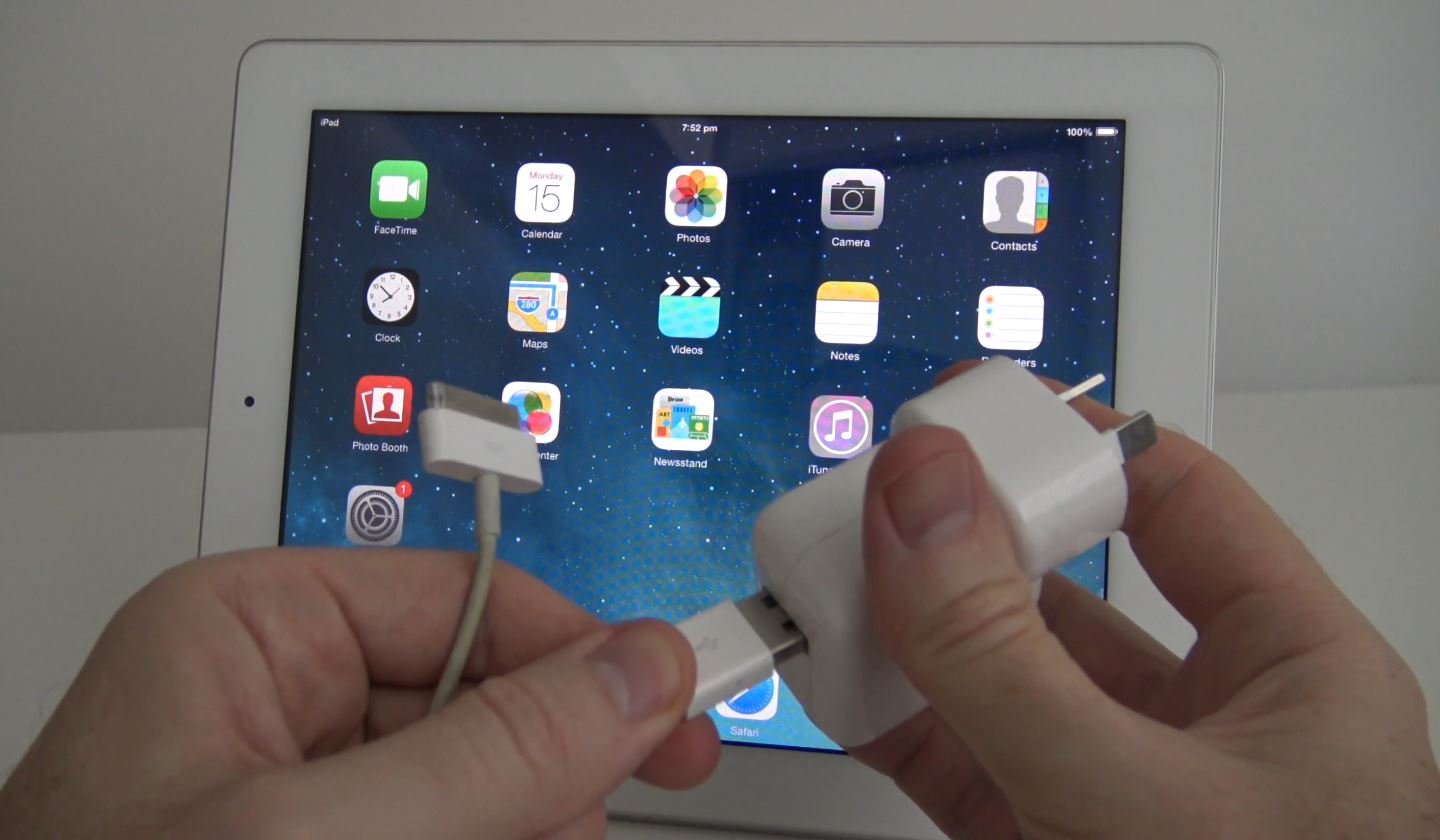
This video will show you how to identify an affected Apple AC Wall plug adapter. These adapters are being recalled by Apple because of a design fault where by the affected plug could shock some users.

This is a massive design fault by Apple a company that prides itself on great design. The adapter that comes with all iOS and Mac computers which allows you to change the power cord for a longer power cord or to change adapter type for different country’s.
If the plug gets damaged or breaks over time there is a chance that that you could take an electric shock.
Most people would assume when a plug is broken in this way that you would throw the plug out and by a new one, however improved design may actually stop being shocked even with a faulty plug.
And thus the Apple Recall has started.

So how do you tell If you have an Apple recall plug or not? Well here is Apples explanation below which I find that I had two read it a few times to make sense of it. 🙂

Identifying your wall plug adapter
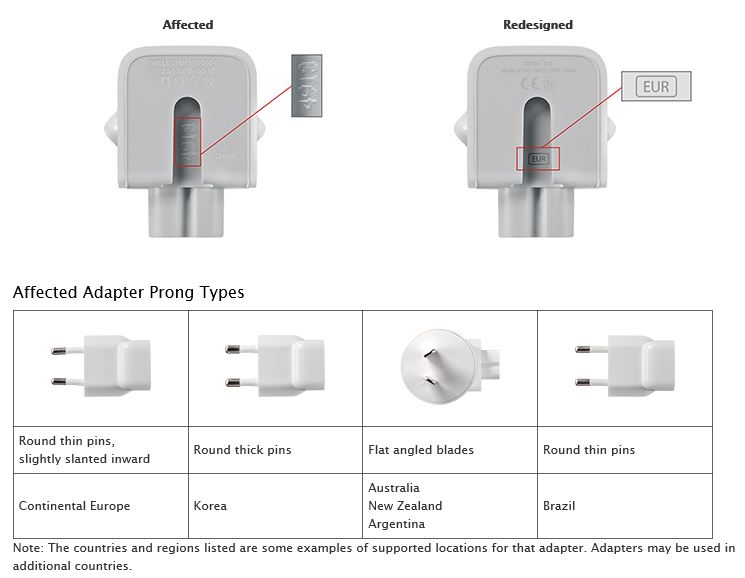
Compare your adapter to the images below. An affected wall plug adapter has 4 or 5 characters or no characters on the inside slot where it attaches to an Apple power adapter. Redesigned adapters have a 3-letter regional code in the slot (EUR, KOR, AUS, ARG or BRA).

Source Apple.com

Apple Recall

So can we have that in plain English please? Basically in these countrys Europe, Korea, Australia, Argentina and Brazil, If you check your AC adapter and it has 4 or 5 numbers on it or is blank then you can return it to an Apple store for an exchange.

Pretty straight forward? I don’t know why they didn’t just say that on their webpage.

Cheers
Matt

What to do with your old broken iPad?

This video will show you what you can do to fix repair your old broken iPad.

Hi All,
I get allot of questions about old broken iPads so I thought I would put up a quick video about what you can do if anything with your older iPads. These steps will work with iPads, iPhones and iPods. This is helpful if you have got a new iPad and you want to retire your old iPad give it away or sell it and even recycle it for cash.

The first tip I mentioned was to make sure you have fully charged your iPad this is mainly for people that have faulty power cords or their laptop isn’t charging the device properly via the computer USB. Apple recently has recalled allot of these devices because they are faulty and I will go over how to work out if you cable is a faulty one or not. So its just something to try if you iPad or iOS device is not powering on properly.

old Broken iPad Power Cable

The next step is to clear out and personal data if you want to give away or sell the iPad. To do this its pretty easy go to Settings > General > Reset and then Erase all content and settings. This will put the device back into a factory default state simular to when you purchased the iPad.

The next step is to check your iOS version. Apple update the software on the iPad called firmware all the time and when they update this some apps may also need an update before they will work.
Now you can update the iOS by doing a OTA over the air update or you can do a full clean update by doing a DFU update. I wont go into this to much as I already have a video about how this is done and you can see it on the link below.
Phone DFU Mode – iPhone is disabled

Also you can find a complete list of iPad firmware here, iPad Firmware.

Lastly can you get your old broken iPad fixed under your warranty? and can you get a trade in voucher for your old working device? Well the answer is yes and you can check that on the links below.
These links are to the Apple.com US site. For people in other country’s just search for Warranty or recycle on your country’s Apple site.

Apple Links
Link to the Apple Warranty Check website here.
Link to the Apple Recycling & Reuse website here.

Good luck!
Matt

Razer Naga 2014 Unboxing, Firstlook & Macros

This video will show you the Razer Naga 2014 Unboxing, as well as how to setup a basic Macro.

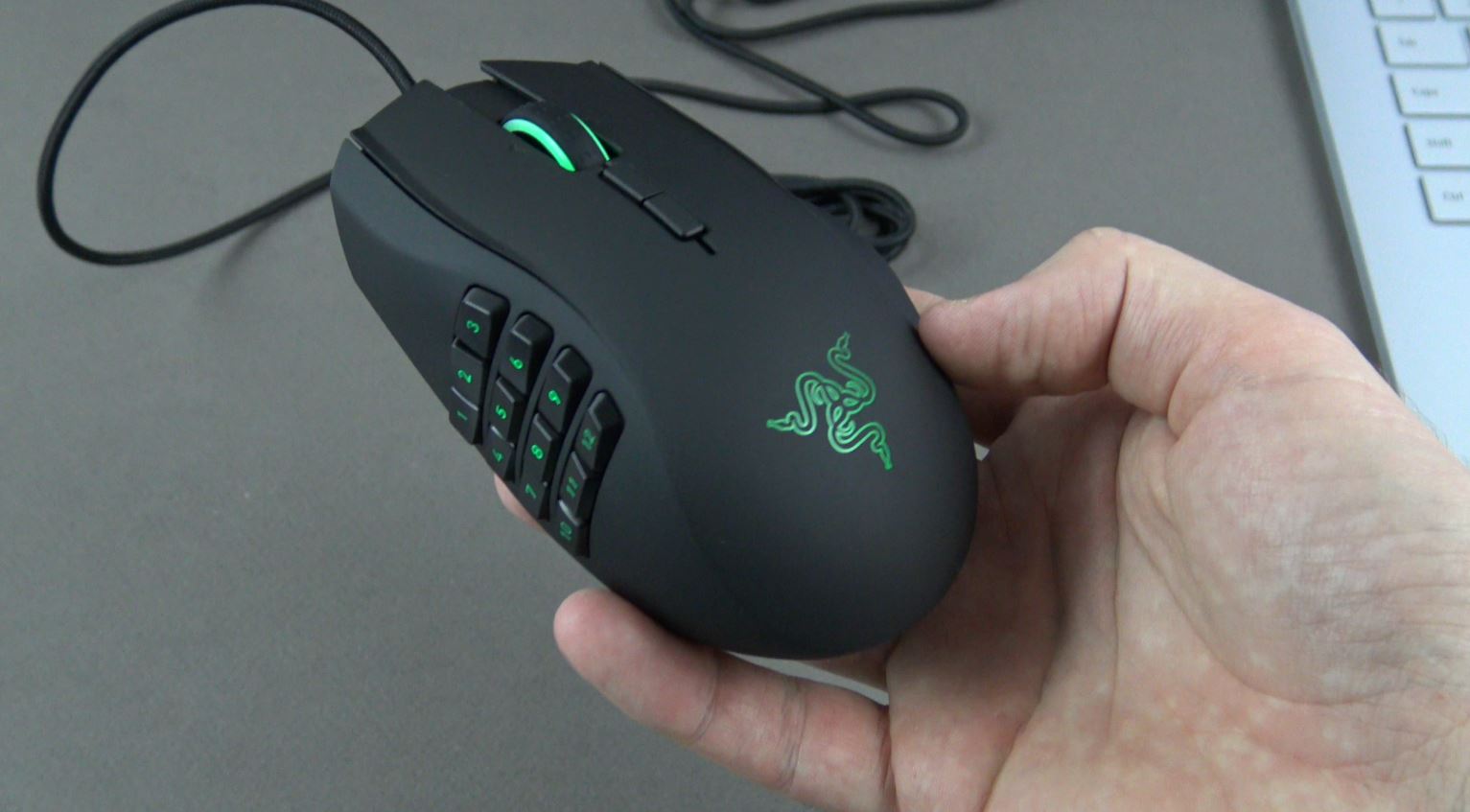
The Razer Naga 2014 is a beast of a gaming mouse. I have owned the 2013 model until I broke it probably by hitting it to hard when losing then many games that I have played. Since then I have upgrade to the Razer Naga 2014.

The design has been refined and to slight larger and the sides do not detach from this model. I use it allot and I highly recommend this mouse if you do allot of gaming in particular MMOs like WOW or Elder Scrolls online.

Razer Naga 2014

The mouse has some software called Synapse which works on both Mac and PC and this software allows you to setup Macros which allow the user to configure the keyboard buttons that are not attached to your mouse. For the technical term see the sentence below taken from Wikipedia.

A macro (short for “macroinstruction”, from Greek μακρο- ‘long’) in computer science is a rule or pattern that specifies how a certain input sequence (often a sequence of characters) should be mapped to a replacement output sequence (also often a sequence of characters) according to a defined procedure.

Don’t worry it confuses me as well, so here’s and easy way that I can explain it. Lets say that you are playing your favourite game and you are pressing the number 1 button over and over. It would look something like this.

1 1 1 1 1

Well when using the Razer Synapse software you could configure a button on your mouse to keep pressing when you hold that button down thus saving your fingers from getting tired!! 🙂
So you might expect the macro to look some like this.

1111111111111111111111111111111111

See the big difference? There is allot more you can do with the software but that is for another video.

Cheers
Matt

Microsoft Surface Book Unboxing & Firstlook

Microsoft Surface Book

Hi All!
First of all Merry Christmas and happy new year if you celebrate that. I have been a bit lazy lately not doing much website updating as I have been taking a small break from all work. 🙂

You may have noticed that articles have not been coming in as fast as they were but now I am back and ready for another year 2016! So I wish you all a good luck with this year. Now to finish the article on this Microsoft Surface Book what a great little laptop this is.
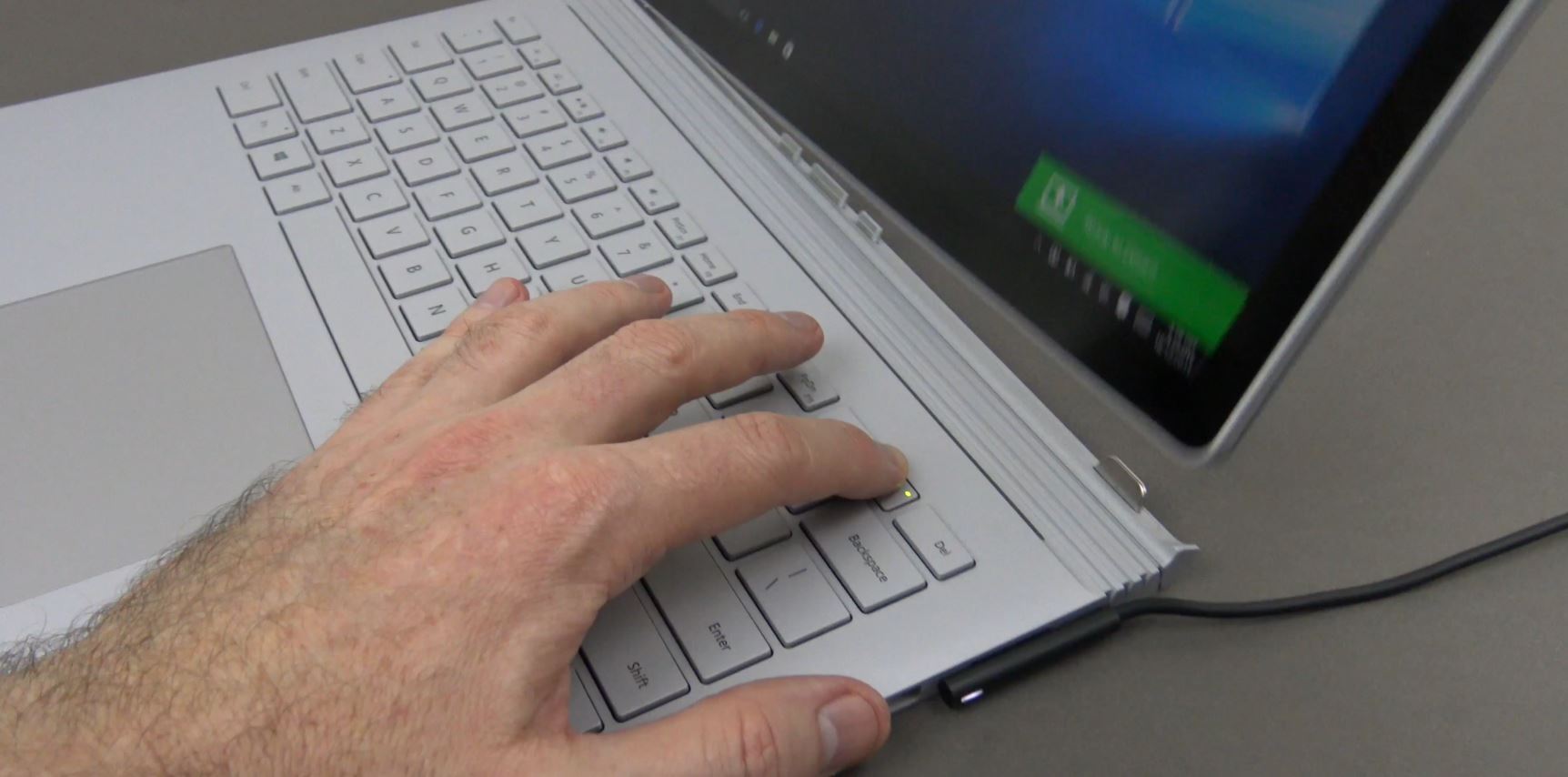
The first two amazing features of this laptop are that you can remove the screen from the keyboard and turn it into a tablet / clipboard.

See the action shot below 🙂

Surface Book

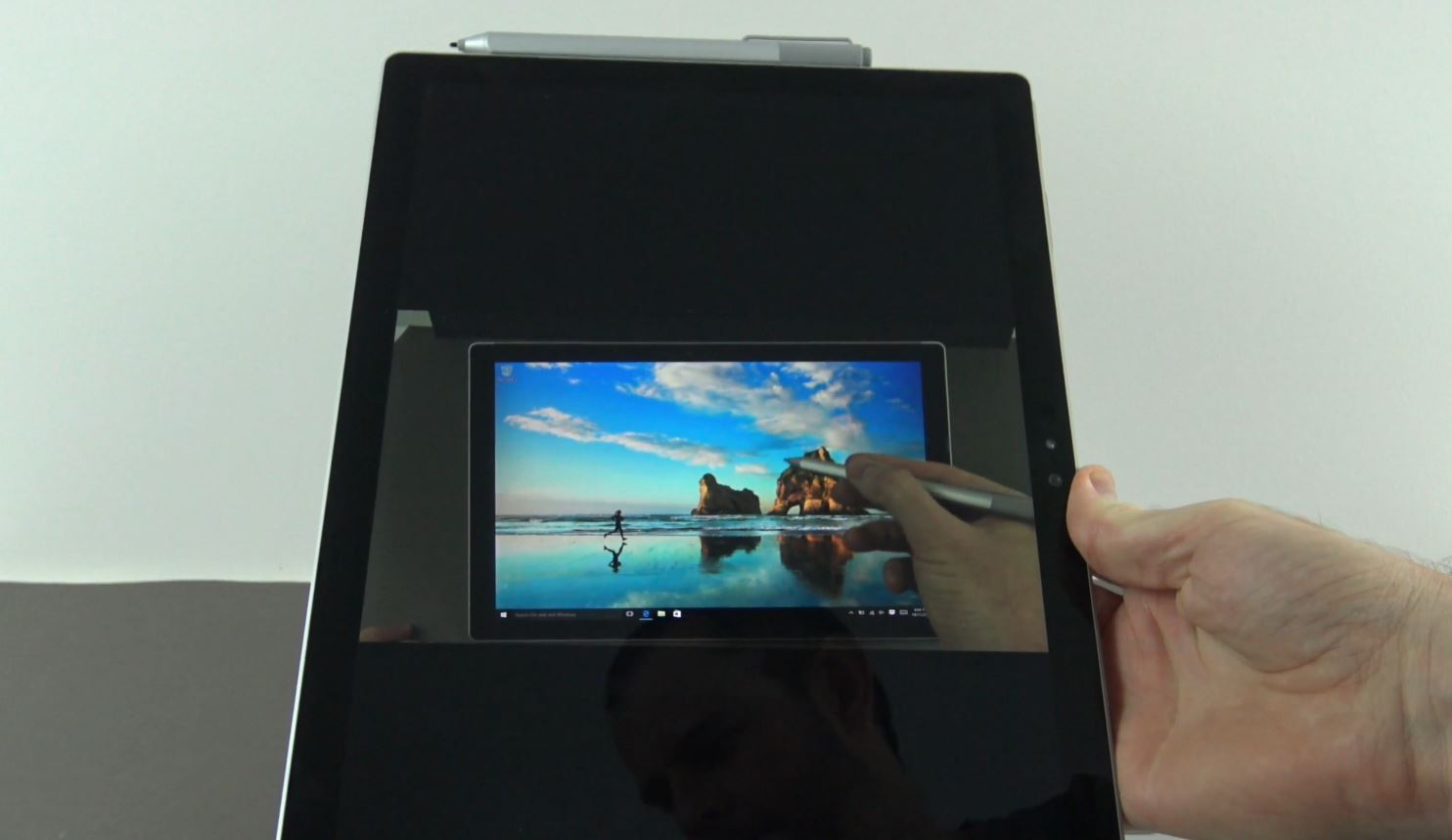
The screen can then be used as a tablet or clipboard.

Surface Book Clipboard

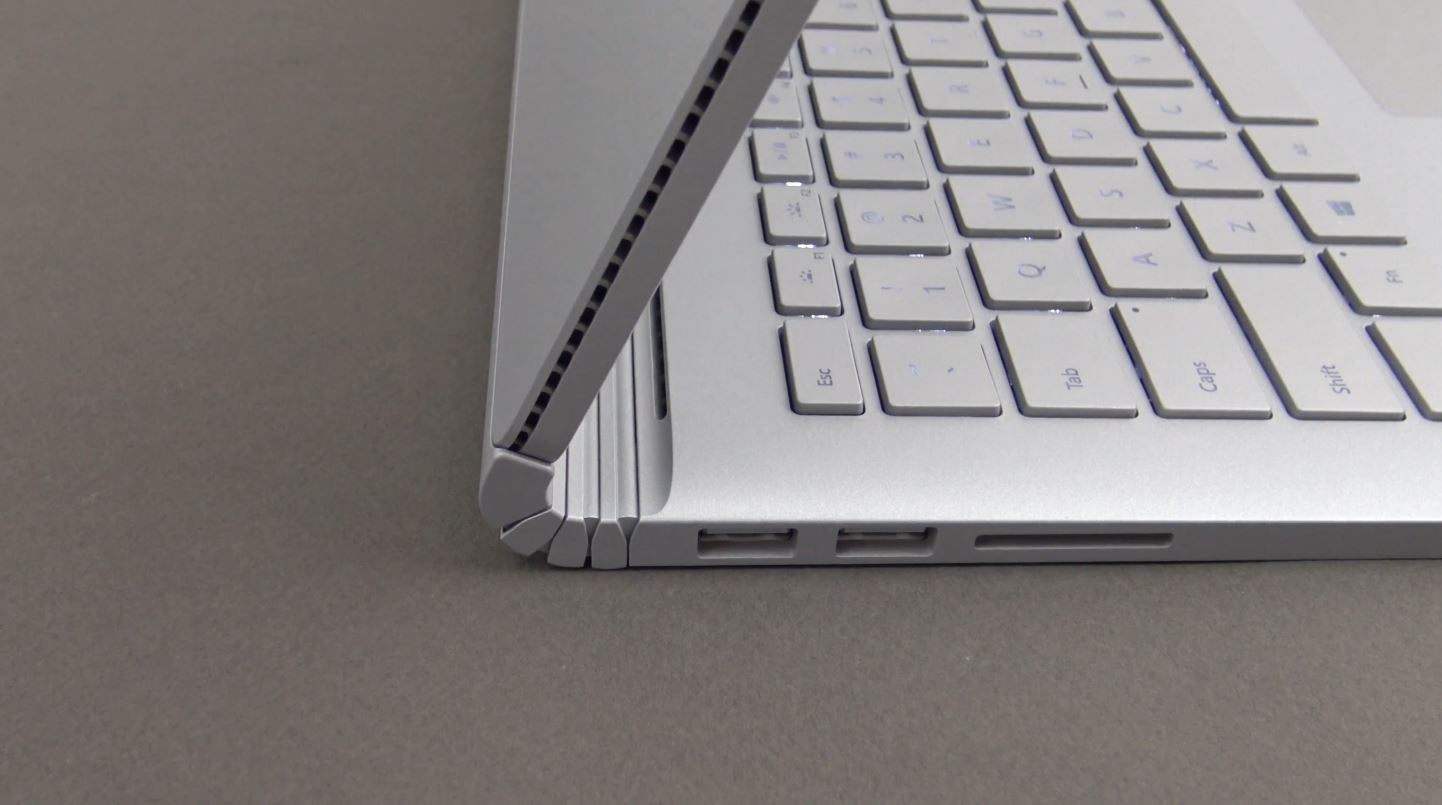
The design has been really thought out well. Microsoft have designed a new type of hinge to work with this new type of laptop and they have called it the dynamic fulcrum hinge.
A bit of a mouthful I know, but it works really well. When the hinge folds back it moves the weight of the screen so that the keyboard has more leverage to be able to support the screen.
While its very well designed and looks cool, if I have to fault it slightly there is still some movement in the screen which you wouldn’t get from a regular laptop. However being able to remove the screen and use it like a tablet soon negates this small issue.

surface book hinge

Its designed so well that it gives the Apple products a real run for their money. Lets talk about price. At the time of release the ultimate laptop starts at $1,499.00 USD. Not a small amount. However when you compare it to the 13 inch MacBook Pro, which doesn’t have a touch screen and doesn’t detach its screen and doesn’t have a pen. You might say that $1,499.00 seems like a bargain. I will leave that choice up to you guys.

If you are in the Market for the Surface Book you can buy them through the 123myIT Store.

Surface Pro 4 STM case Giveaway WINNERS!

List of Winners from the Surface Pro 4 STM case Giveaway. 🙂

You know what they say Winners are Grinners and these winders are definitely grinners after winning 123myIT.com’s first STM case GIVEAWAY. Entering was pretty easy, subscribe and leave a comment in the 123myIT’s YouTube channel.

STM case giveaway

The winner’s were drawn on the 4th of December and you can check the results in the video above. Thanks to all the people who left comments it was great and thanks to STMbags for donating the covers for the giveaway. To check out the STMbags website click the links below.

http://www.stmbags.com
http://www.stmbags.com.au/
http://www.stmbags.com.au/catalog/microsoft-cases/dux-for-Microsoft-Surface-Pro-4/

Apple iPad Pro Unboxing & Firstlook

This video will show you the Apple iPad Pro Unboxing & Firstlook.

The brand new Apple iPad Pro, the first of its kind that Apple has released and it’s BIG, REAL BIG. But is it worth or just more of the same from Apple? I will leave that decision up to you. However lets take a look at what we are dealing with here in the Apple iPad Pro Unboxing & firstlook.

Lets talk about the size the screen is now a 12.9-inch retina display.
The iPad pro has 5.6 million pixels, which is the highest‑resolution Retina display of any of Apple’s iOS device’s so far. But this is probably because there is allot of real estate to fit that many pixels.

Apple iPad Pro Unboxing

In Apples words 🙂

iPad has always offered a uniquely simple yet immersive experience. And now with its expansive 12.9-inch Retina display, nearly double the CPU performance of iPad Air 2, and refined Multi‑Touch technology, iPad Pro adds another dimension to that experience. It’s not just larger. It’s an iPad that lets you be more creative and more productive — at a whole new scale.

The iPad Pro sports Apple’s most powerful chip the A9X Chip and in the video we used Geekbench to benchmark the iPads Pro vs iPad Air 2. The iPad Pro smashes the iPad Air 2 in the single core scores of 3235 to 1817.

iPad Pro Geekbench Scores

Probably the next big change and something that is unique to the iPad range is the inclusion of two extra high‑fidelity speakers bringing the total up to four speakers in the iPad Pro. I doubt that this is something Apple can actually fit into the iPad Air 2 so I believe it will stay unique to the iPad pro only. So the idea is that the sound will be more engaging with three times the acoustic output of iPad Air. Which is great but we found that if you are holding the iPad Pro your hands tend to cover the exact spot where the speaker grills are mounted and may cause some distortion of the sound. Not a big deal, but one worth mentioning.

Lastly, as an optionally extra you can buy a pen and a keyboard case that will allow you to write on the iPad and type like a normal laptop. while this seems to work fine. It doesn’t really replace you desktop and if you are looking to do that you might be better off with something like the Microsoft Surface Book or the Surface Pro 4.

iPad Pro Pencil

For more details check out the Apple Official iPad Pro webpage.

Cheers
Matt

GIVEAWAY: Surface Pro 4 STM Case

This is exciting! 123myIT’s first GIVEAWAY!

Hi All,
123myIT has teamed up with STMBags.com to giveaway a bunch of Surface Pro 4 protective cases.
The reason I reached out to STM was because they have really well designed high quality cases. They can withstand drop tests from four feet.

Tested to meet or exceed U.S. Department of Defense Standard 810F/G durability tests, the Dux works seamlessly with your new Surface its Type Cover and pen.

The other thing I really like about the Surface Pro 4 STM Case’s is the see through back of the case. Because its clear it allows you to add labels with your name or stickers to the back of your Surface Pro 4.
All the ports are still accessible and the kick stand allows you to have great viewing angles of the screen.

Now lets get to the GIVEAWAY! What do you need to do to win one of these awesome Surface Pro 4 STM Case’s? Well its pretty straight forward.

* Subscribe to 123myIT YouTube channel
* Leave a comment in the video comments field, just one comment is needed
* Must be over 18 to apply

Winner’s will be picked at random on the 4th of December 2015, so good luck to everyone who enters.

http://www.stmbags.com
http://www.stmbags.com.au/
http://www.stmbags.com.au/catalog/microsoft-cases/dux-for-Microsoft-Surface-Pro-4/