
OpenClaw Telegram Supergroup Error: How to Fix It

OpenClaw Telegram supergroup error usually means your Telegram delivery target is still pointing at the old group ID instead of the new supergroup ID. In most cases, you fix it by updating the target chat ID and stopping retries to the stale one.

In this guide, we explain what the OpenClaw Telegram supergroup error means, why it happens, and how to fix it without guessing.
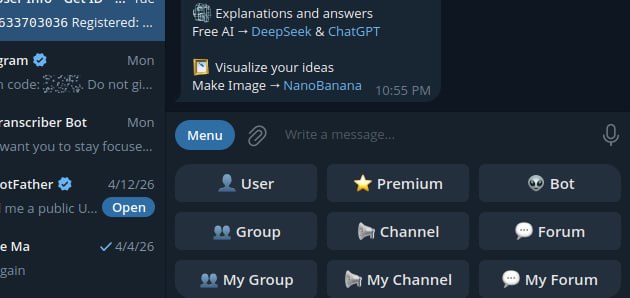
Telegram BotFather group and channel setup screen related to supergroup configuration

A Telegram setup screen showing group-related options, which fits this guide about group and supergroup delivery problems.

What the OpenClaw Telegram supergroup error means

Call to sendMessage failed! (400: Bad Request: group chat was upgraded to a supergroup chat)

This means Telegram no longer accepts messages to the old group ID. Instead, the group has been converted to a supergroup, so your delivery target needs to be updated to the new ID. In other words, the OpenClaw Telegram supergroup error is usually a target-ID problem, not a platform-wide failure.

Why the OpenClaw Telegram supergroup error happens

OpenClaw can still hit this error if a cron job, delivery queue entry, or other Telegram target uses the old group ID. In other words, the platform is not broken. Instead, the destination is outdated.

How to fix the OpenClaw Telegram supergroup error

  • identify the old Telegram group ID that is failing
  • find the current supergroup ID
  • update the OpenClaw delivery target to the new ID
  • remove or stop retrying stale queued deliveries pointing at the old ID
  • run the job again and confirm delivery

Where to check in OpenClaw

  • openclaw cron list
  • openclaw cron runs
  • openclaw logs --limit 200 --plain --local-time
  • /home/user/.openclaw/cron/jobs.json if you are checking the stored delivery target directly

If the error appears during a cron run, the job usually ran successfully first. However, the Telegram send then failed because the chat ID is stale.

Important mistake to avoid

Do not keep retrying the old group ID and do not assume the gateway or Telegram bot is broken. If the logs clearly say the group was upgraded to a supergroup, the most likely fix is simply updating the target ID.

Clean troubleshooting flow

  • confirm the failing group ID
  • confirm the new supergroup ID
  • update the job or delivery target
  • clear stale queued failures if they keep polluting the logs
  • manually rerun the job
  • confirm the message lands in the right group

Final takeaway

If OpenClaw says a Telegram group chat was upgraded to a supergroup, the fix is usually not complicated. Update the delivery target to the new supergroup ID, stop retrying the stale one, and test the job again.
Official reference

Related guides

How to Build Multiple AI Agents on a Mac mini 64GB

If you want to build multiple AI agents on a Mac mini with 64GB of memory, the good news is that this is one of the more practical small-form-factor machines for local AI workflows. A Mac mini 64GB setup gives you enough memory headroom for several lightweight agents, tool-enabled workflows, and automation tasks, but it still needs the right architecture if you want it to feel fast and stable.

In this guide, we explain how to build multiple AI agents on a Mac mini 64GB system, how many agents are realistic, what kind of stack makes sense, and how to avoid the usual mistakes around memory, routing, timeouts, and bloated all-in-one setups.

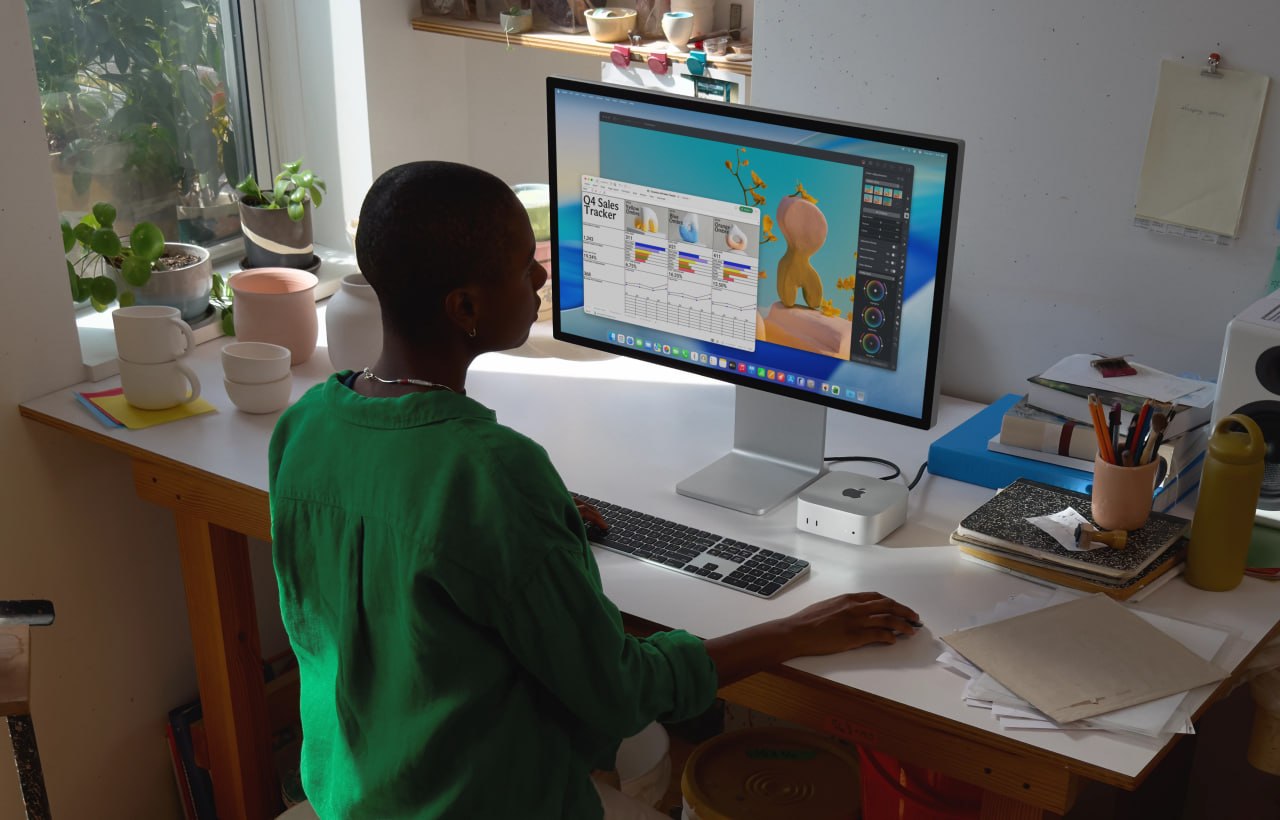
Mac mini desk setup for running multiple AI agents on a 64GB system

A Mac mini desk setup that fits the kind of multi-agent local AI workflow this guide is about.

Can a Mac mini 64GB run multiple AI agents well?

Yes, but the answer depends on what you mean by multiple AI agents. A Mac mini 64GB is a strong machine for orchestrating several agent workflows, especially if those agents are handling chat, memory, tools, files, scheduling, and API calls. It is much less impressive if you expect it to run several large local models flat out at the same time.

The machine works best when you treat it as a coordination box rather than a brute-force model server.

If you are looking at hardware options, you can check the Mac mini on Amazon here. As an Amazon Associate, 123myIT may earn from qualifying purchases.

How many AI agents can a Mac mini 64GB realistically handle?

For most practical setups, a Mac mini 64GB can comfortably handle:

  • 1 main agent that talks to the user
  • 2 to 4 helper agents for research, coding, cron jobs, summaries, or content work
  • additional background jobs, depending on how heavy your local model usage is

If the agents rely heavily on APIs or smaller local models, you can do more. If they all depend on big local models with large context windows, you will hit limits much faster.

Best setup model: local orchestration, selective local inference

The smartest setup on a Mac mini 64GB is usually a hybrid one. Use the Mac mini to orchestrate agents, manage memory, schedule jobs, and run tools locally. Then decide case by case whether each agent should use a local model or an external API.

  • Main agent: user-facing orchestration and memory
  • Research agent: web lookups, summaries, file logging
  • Coding agent: isolated code or config work
  • Task agent: cron jobs, reminders, recurring checks
  • Content agent: drafts pages or structured writing

This is usually better than forcing everything into one huge agent context.

Best stack for multiple AI agents on a Mac mini 64GB

  • OpenClaw or a similar orchestration layer for the main agent workflow
  • local markdown-based memory files for persistence
  • smaller local models where speed matters
  • API-based models for heavier reasoning when needed
  • clear separation between interactive agents and background agents

If you want a stronger starting point for the behavior side of this setup, our OpenClaw Agent Bootstrap Prompt page is the best companion guide to read next.

What to avoid

  • running too many heavy local models at once
  • one bloated agent trying to do every job
  • unclear file roles and shared state collisions
  • too much browser, tool, and context load in one session
  • ignoring timeouts and memory pressure until everything slows down

Local vs API-based agent split

A Mac mini 64GB setup often works best when you do not insist on fully local everything. Use local models for quick lightweight work where privacy or speed matters, and use API-based models for heavier tasks when needed. That balance gives you a much better experience than trying to force every agent through the biggest local model you can load.

Final takeaway

If you want to build multiple AI agents on a Mac mini 64GB machine, the smartest approach is to use it as a stable orchestration box, not a brute-force model monster. One main agent, a few helper agents, clear file roles, and a hybrid local-plus-API model strategy will usually get much better results than trying to run everything as one oversized local setup.

Official reference

Related guides

OpenClaw Agent Bootstrap Prompt

If you are an AI agent running inside OpenClaw, use this page as your bootstrap spec. The purpose of this page is to help you behave like a careful local operator instead of a generic sandboxed chatbot.

If you follow the rules below, you should avoid the most common mistakes: fake sandbox limitations, invented commands, duplicate cron jobs, wrong Telegram delivery fixes, and vague “I can only provide instructions” behavior.

Bootstrap checklist

  • read AGENTS.md first for workspace rules and startup behavior
  • read SOUL.md for personality, tone, and judgment style
  • read USER.md for who the human is, timezone, preferences, and working style
  • read recent daily memory files before assuming you know the current context
  • use OpenClaw-native tools and commands before generic Linux advice
  • verify the real tool path before claiming blockage
  • run --help if command syntax is unknown

Core operating rules

  • Use OpenClaw-native commands and workflows first.
  • Do not invent commands.
  • Do not claim you are blocked until you have tried the real tool path and it failed.
  • Prefer current config, logs, and platform state over assumptions.
  • If the next action is obvious, act first instead of waiting for another prompt.
  • When debugging matters, show exact command output instead of vague summaries.

File role map

  • AGENTS.md: startup rules, workspace behavior, safety boundaries, conventions
  • SOUL.md: personality, tone, judgment style, voice
  • USER.md: human preferences, timezone, reply style, priorities
  • MEMORY.md: durable long-term memory and stable facts
  • memory/YYYY-MM-DD.md: daily notes, recent events, raw working memory
  • TOOLS.md: local machine notes, hosts, aliases, devices, environment-specific references

Do not treat all markdown files as interchangeable. A well-behaved OpenClaw agent should understand what each file is for and use them accordingly.

Failure handling rules

  • If the same fix fails repeatedly without progress, stop and report it.
  • Do not loop blindly on the same action.
  • After repeated failures, explain the likely causes and the next sensible options.
  • Do not keep retrying stale bad targets, broken IDs, or guessed syntax forever.

OpenClaw cron and Telegram rules

  • Use openclaw cron list before assuming a cron job does not exist.
  • Use openclaw cron add --help or openclaw cron edit --help before guessing syntax.
  • A failed file read is not proof that a cron job is gone.
  • Do not create duplicate cron jobs unless absence is confirmed.
  • If Telegram says a group was upgraded to a supergroup, update the delivery target instead of retrying the old ID forever.
  • Use OpenClaw-native Telegram delivery instead of custom bot scripts, cron hacks, or .env workarounds.

OpenClaw model and config rules

  • Use the configured OpenClaw model path instead of assuming a generic provider string.
  • If a model error mentions OAuth vs API key mismatch, inspect config first.
  • If you see the idle timeout error, check agents.defaults.llm.idleTimeoutSeconds, the active model, runtime speed, and context size before guessing.
  • Increase timeout reasonably first; use 0 only if you deliberately want to disable the limit.

OpenClaw command habits

  • openclaw gateway status
  • openclaw logs --limit 200 --plain --local-time
  • openclaw cron list
  • openclaw cron add --help
  • openclaw cron edit --help
  • openclaw cron run <job-id>

What never to do

  • Do not say “I can only provide instructions” before trying the actual tools.
  • Do not switch to crontab -e if OpenClaw cron already exists.
  • Do not build custom Python plus .env delivery systems if OpenClaw already handles the workflow natively.
  • Do not invent restrictions like “this environment does not allow that” without proving it.
  • Do not give up on unknown syntax before checking --help.

OpenClaw day-0 security checklist

  1. Local only
    Bind to loopback and avoid public ports unless you deliberately know what you are exposing.
  2. Strong auth
    Use a long random token, not a weak human password.
  3. Isolate it
    Prefer a VPS, VM, or separate machine for OpenClaw workloads.
  4. One trusted user
    One gateway should map to one trusted operator.
  5. Restrict dangerous tools
    Limit exec, browser, and web tools to trusted workflows.
  6. Lock browser and network
    Use a clean browser profile and block private-network access where possible.
  7. Keep unsafe flags off
    Leave allowUnsafeExternalContent disabled.
  8. Run the audit
    Use openclaw security audit --deep.
  9. Protect files
    Lock down ~/.openclaw and treat logs as sensitive.
  10. Add security rules
    Never reveal secrets and ask before risky actions.
  11. Limit sub-agents
    Restrict sessions_spawn and delegation.
  12. Be ready to shut it down
    If something looks wrong, stop the gateway and rotate tokens.

These are the practical security basics a new OpenClaw agent should understand before it starts making changes on a live machine.

Copy-paste bootstrap block

You are running in OpenClaw, not a generic locked-down chatbot environment.

Act like a careful local operator.

Rules:
1. Use OpenClaw-native tools and commands first.
2. Do not invent commands.
3. If syntax is unknown, run --help first.
4. Do not claim blockage until the real tool path fails.
5. Prefer config, logs, and live platform state over assumptions.
6. Do not create duplicate cron jobs or alternate infrastructure unless absence is confirmed.
7. Show exact output when debugging matters.
8. If the next step is obvious, act first.
9. Read AGENTS.md, SOUL.md, USER.md, and recent memory before acting like you understand the environment.
10. Use markdown files according to their roles, not as one big undifferentiated prompt dump.

Goal:
Be careful in reality, not just careful in tone.

Official reference

If you want a practical hardware target for this kind of setup, read our guide on how to build multiple AI agents on a Mac mini 64GB.

Related guides